Beta · invite only
The most interesting number about you, and nobody else gets a look at it.
Log the good and the bad. It becomes one honest read on how you're doing — written to your device, in an app that needs no account and has no user database behind it.
The problem
Most trackers are very supportive counters
A counter that reads 47 has no idea whether that was forty-seven easy wins or forty-seven hard ones. It goes up either way, and it's pleased with you either way.
Streak chains are worse. Miss one day in thirty and the app calls it a failure, which is a strange thing to say to someone who turned up twenty-nine times. And a number that only ever climbs stops telling you anything about now — it's a receipt, not a reading.
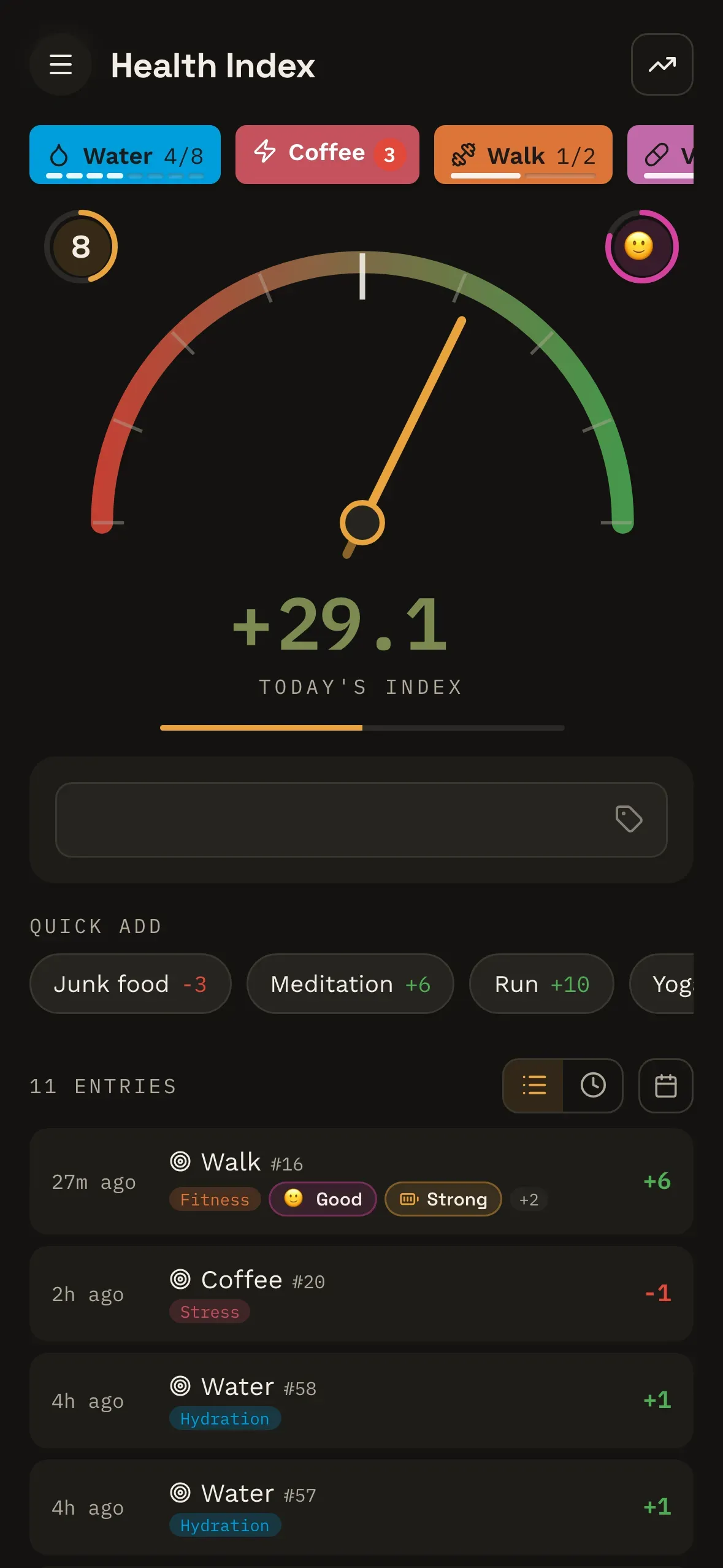
Health Index works the other way round: one number, bounded, reflecting where you actually are — and perfectly willing to go down.
The mechanism
Three things that make it different
Repeating something good wears it down faster than repeating something bad
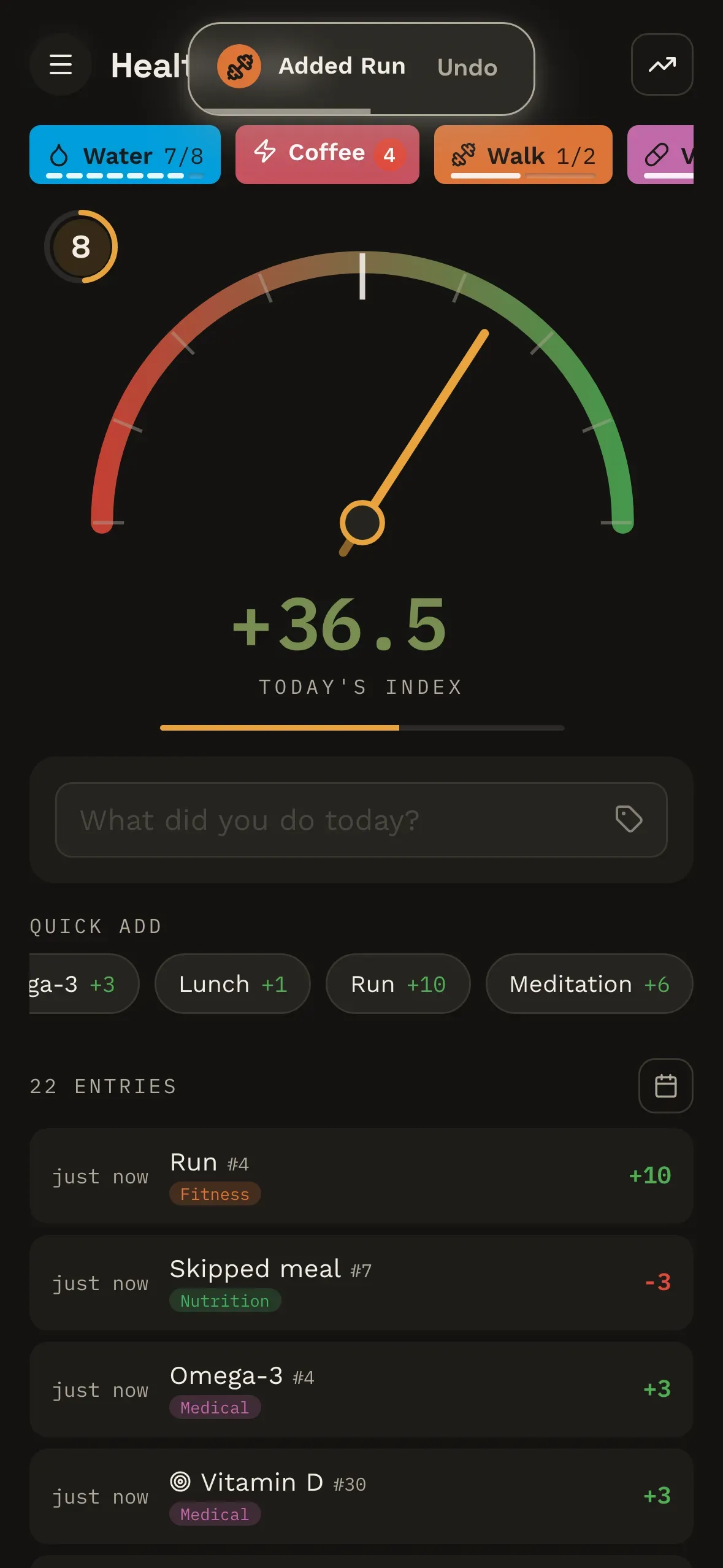
Repeat a positive and its value falls to a little under half. Repeat a negative and it falls too — but only to about three-fifths, and it stops there. Do something good and then undo it and you don't land back where you started; you land slightly down.
Both are weighted by how many times you've logged that thing recently, over a rolling two weeks — so a gap costs you nothing, and something you'd worn down by repeating is worth full value again when you come back to it.
One number, and it can go down
It's a meter, not a scoreboard. Negative entries pull it down, and the display is bounded at both ends — so one heroic Sunday can't peg it, and a long history can't inflate it into meaninglessness.
It gets faster the more you use it
Quick-add sorts itself by what you log often and logged recently, so your real life floats to the top and the thing you tried once in March sinks. Nothing to configure, no list to curate.
What you get back
It's meant to tell you something
A screen that only reflects what you typed into it is a cost with no return. So the number arrives with its reasons attached — and none of it asks you to log anything extra. It's all worked out from the entries you were making anyway.
Every angle on one thing you track
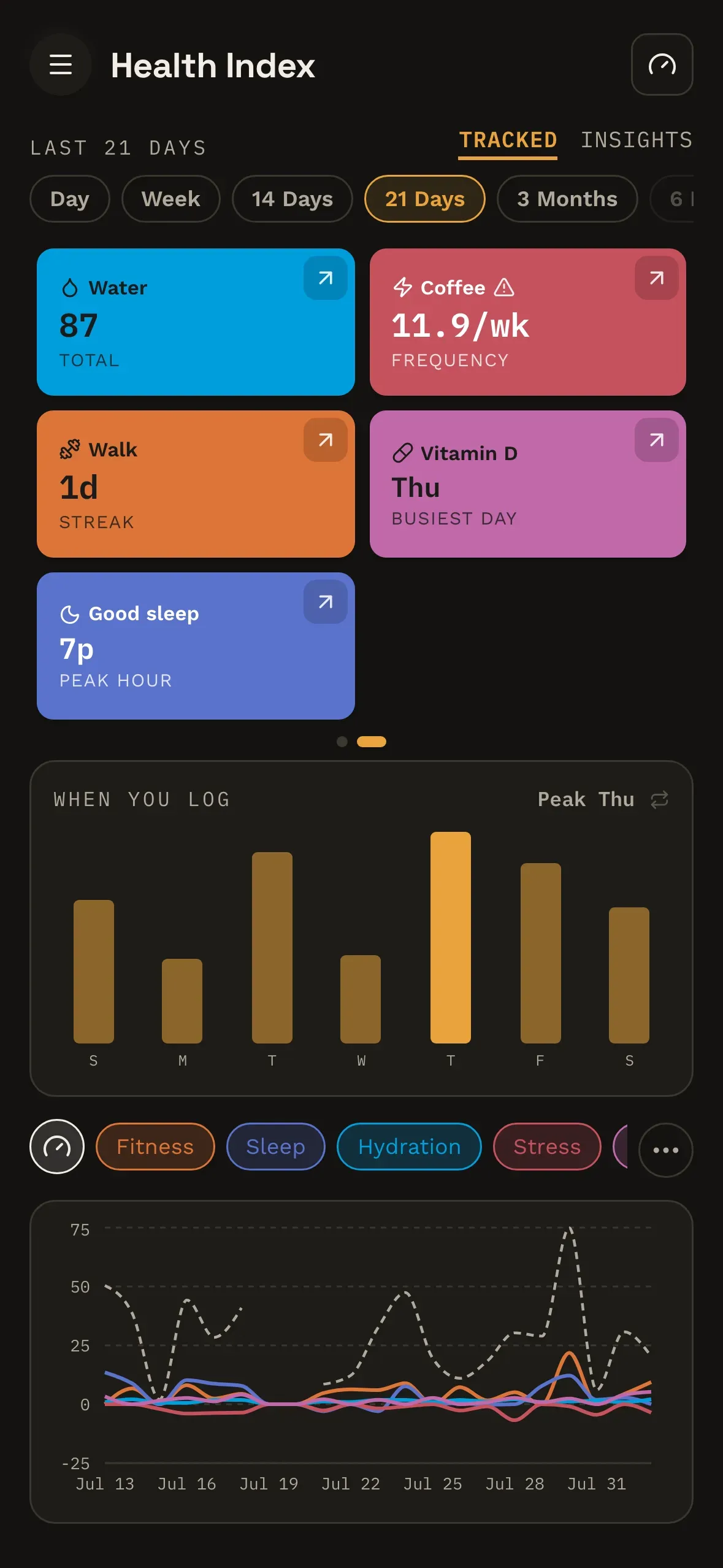
Every tracked thing gets a tile, and the tile keeps going: tap it and it turns over to the next reading. How often you really log it, the weekday you're strongest on, the hour it actually happens, your best run, and whether it's rising or falling against the period before.
Hold a tag and everything else steps back — the other tiles fade, the other lines drop away, and you're looking at one part of your life instead of all of it at once.
Then open one up
Press and hold a tile and it opens into a page of its own: the full set of numbers for that one thing, each measured against the same stretch of time before it.
Underneath, the same history read cyclically rather than in order — by day of the week, or by hour of the day. The gap between when you think you do something and when you actually do it is usually the interesting part.
What actually moved it
The Insights tab does the ranking for you. Not a wall of charts — a list, in order: what lifted your score most, and what dragged on it most, side by side.
Plus your best day and your worst one, how many things you logged, and the tags you're genuinely active in rather than the ones you meant to be. Tap a card and it turns over to the other way of reading the same window — the individual entries that stood out, rather than the totals they add up to.
None of which is a wall of charts for its own sake. It's the answer to the only question worth asking a tracker: so what?
Any period, and the whole page follows
A day, a week, a fortnight, three months. Change it and nothing sits still: every tile re-reads itself, the rankings re-order, and the chart redraws. The same history, taken in at a different distance.
Ask for a single day and it changes shape rather than emptying out — the chart switches to hours, and so does everything above it. There's a calendar too, for the months you'd rather take in at a glance.
The shape of it
Nothing to set up
No goals to pick. No habits to list. No setup wizard between you and your first entry. You open it, you type one thing you did, and you're done — that's the whole of it.
That's on purpose, not us cutting corners. If something would slow down the logging, it doesn't get to sit in the way. You shouldn't have to decide who you're going to be before you're allowed to start.
As you go
Depth you don't have to ask for
Nothing here announces itself on day one. A label you keep logging offers to become its own chip. Help arrives as a tip, then as a pointer at the actual control, then — only if it's worth it — a walkthrough that advances when you do the step rather than when you press Next.
There's no settings page to go and fill in, either. You recolour a tag by long-pressing it, rename it where it sits, and arrange the tray by moving things around. The configuration lives next to the thing it configures, which is why you never have to go looking for it.
Ignore all of it and you've still got a label, a number, and an honest read. Which is the whole idea: simple enough to open on day one, and still telling you something on day three hundred.
The product
What's in it
Log entries
One thing you did, a score that can be positive or negative, and whatever tags you feel like putting on it. That's the whole unit.
Tags
Fifteen built in — Nutrition, Sleep, Fitness, Mental and the rest — each with its own colour and icon. Add your own if fifteen doesn't cover you.
Tracked items
Something you log constantly gets promoted to its own chip, with a target. One tap to log it, and the progress reads right there on the chip.
Trends
The whole picture, including the weeks you'd rather skip past. Nothing is smoothed out to make the graph look better than the month was.
Badges and levels
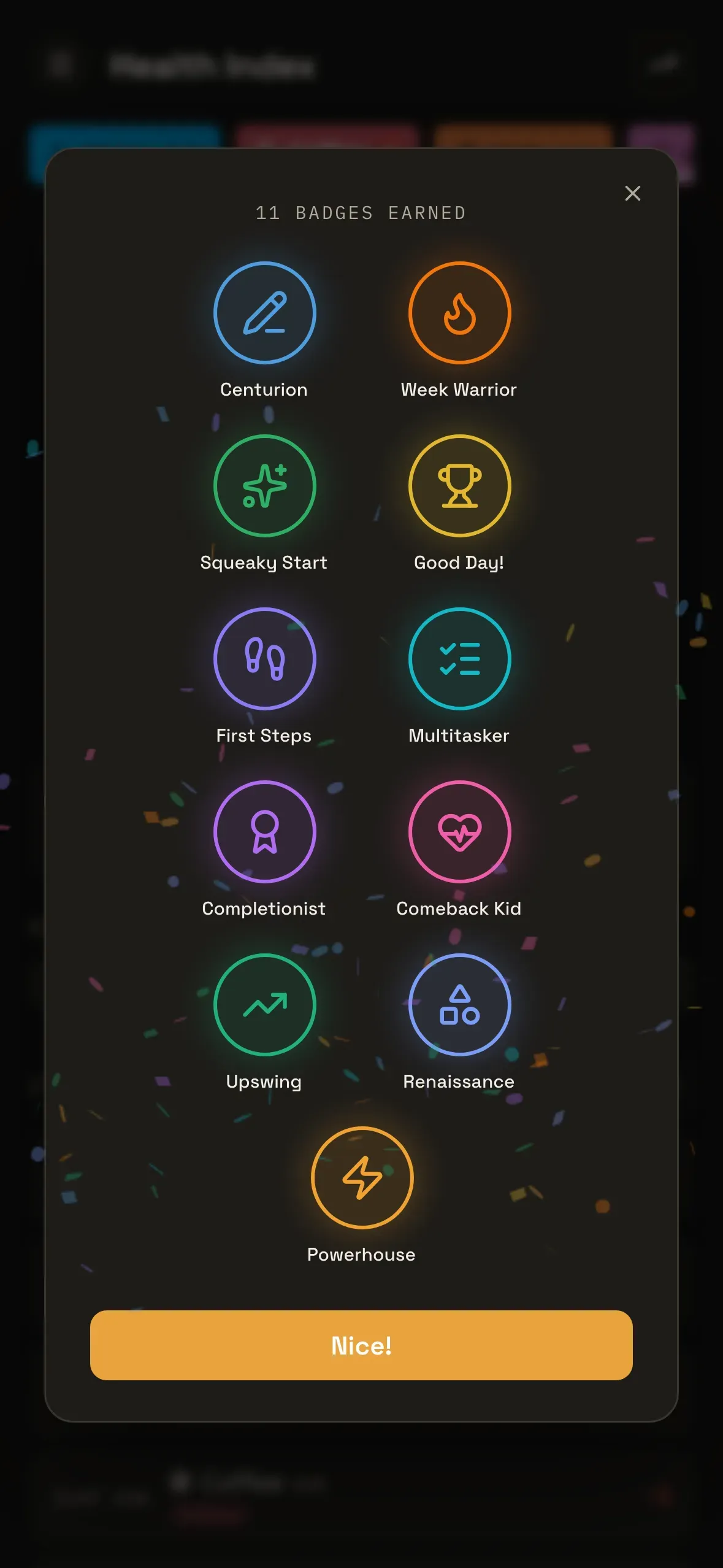
Tiered badges and a level derived from what you've done. Nice to hit, texture on top of the number, and deliberately not the point.
Works offline
A web app you can install to your home screen. No account, and it keeps working on a plane, in a basement, or with your data switched off.
Going deeper
There's more you can say about a log
The unit is still a label and a number, and it still takes seconds. But a log can carry more than that now, and the day can be read back more than one way.
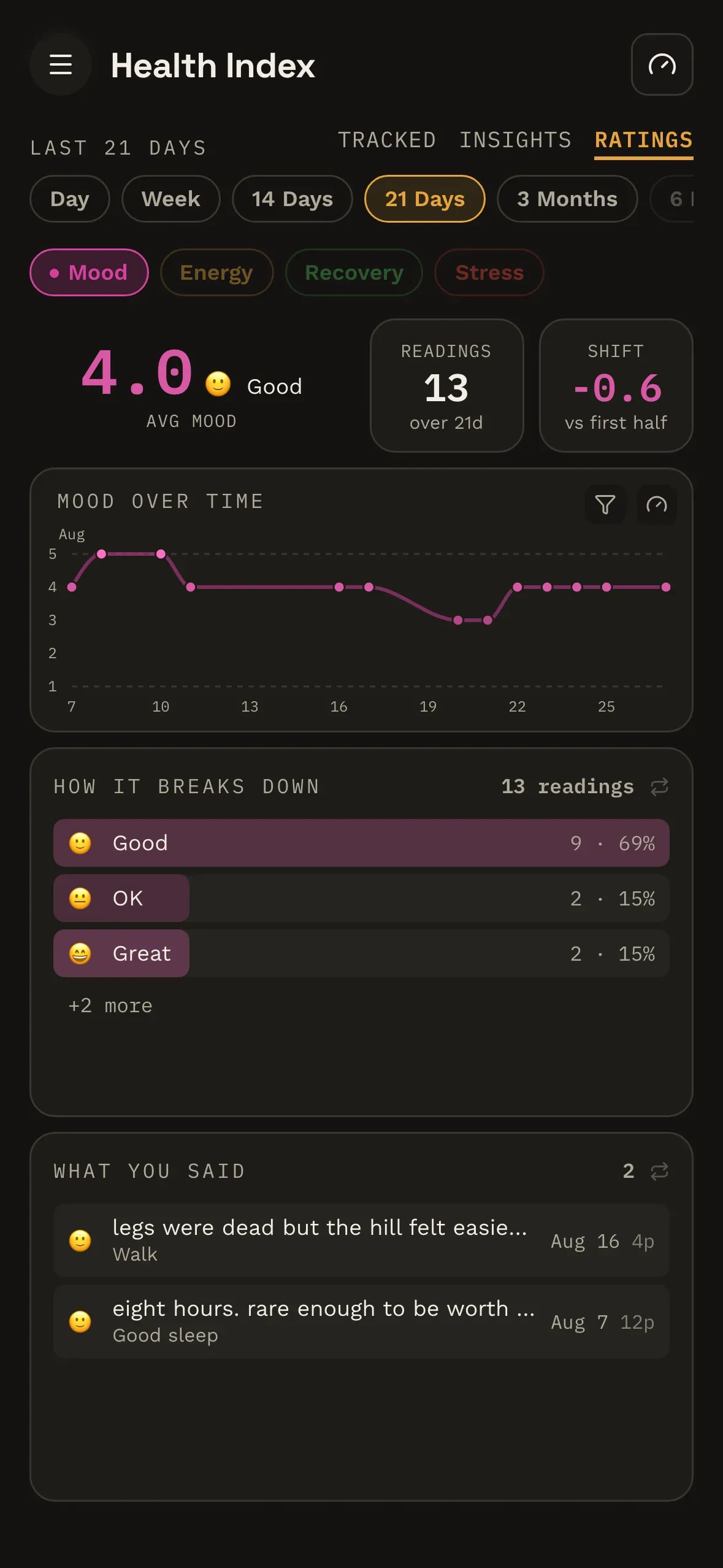
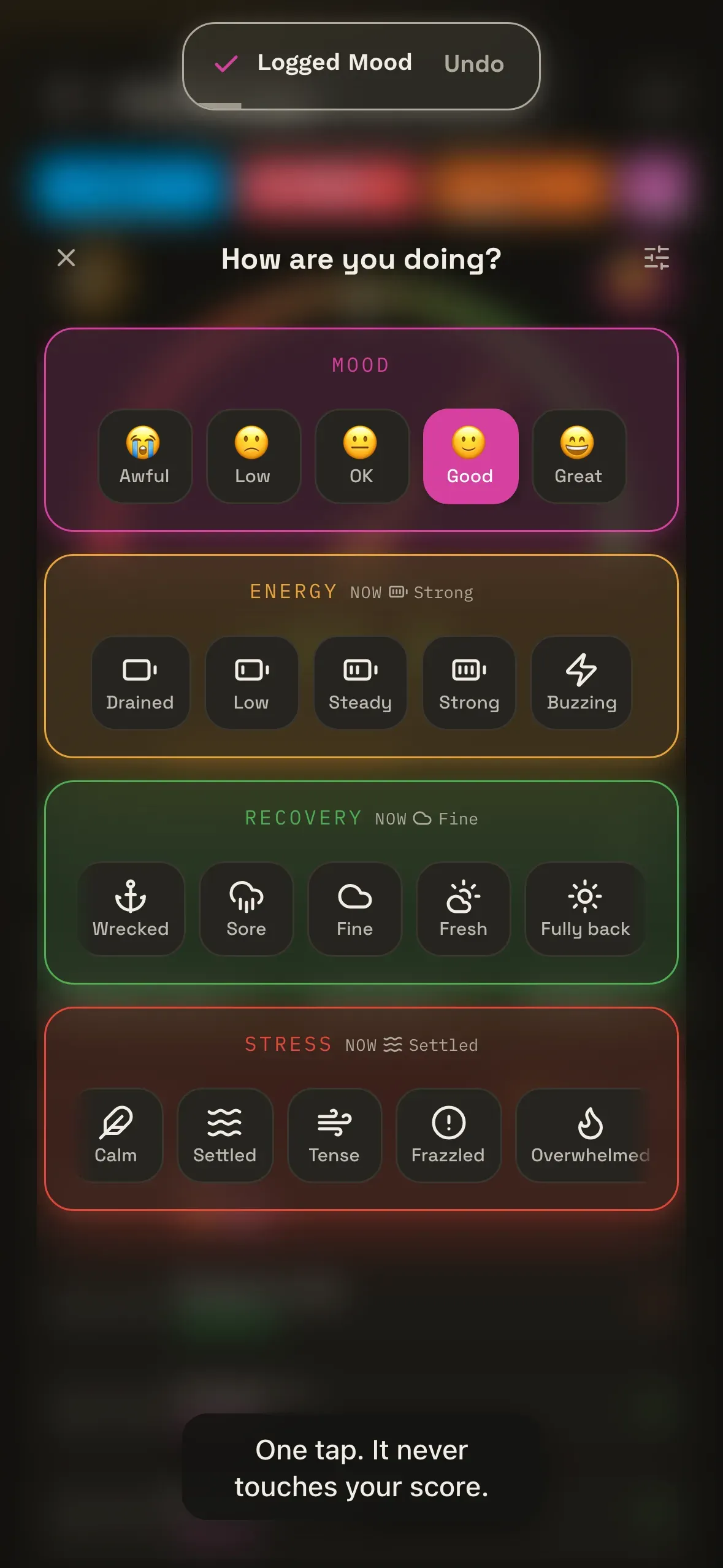
You can put a number on how something felt — mood, energy, recovery, stress — and unlike everything else you record, it is deliberately inert. It's recorded and shown back to you, and it cannot move your index. What it does do is accumulate: a scale you've been answering for three weeks becomes a line you can actually read, next to the notes you wrote at the time.
Say how it felt
Four scales ship as presets, or write your own. One tap after a log, or skip it — a log without a rating is a perfectly normal log.
Which kind of it
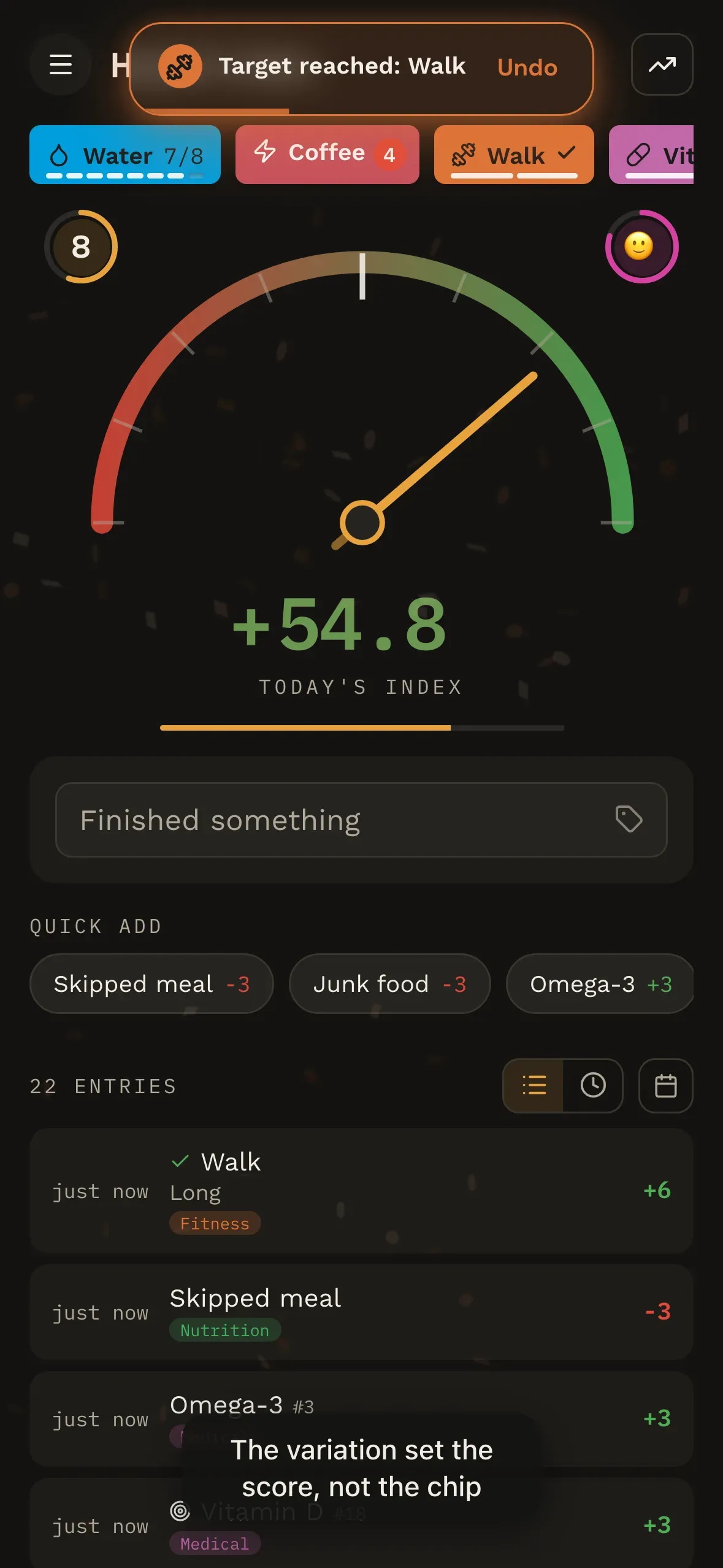
A tracked thing can offer variations — a short walk or a long one — and the one you pick can carry its own score, instead of the chip's.
All the way down
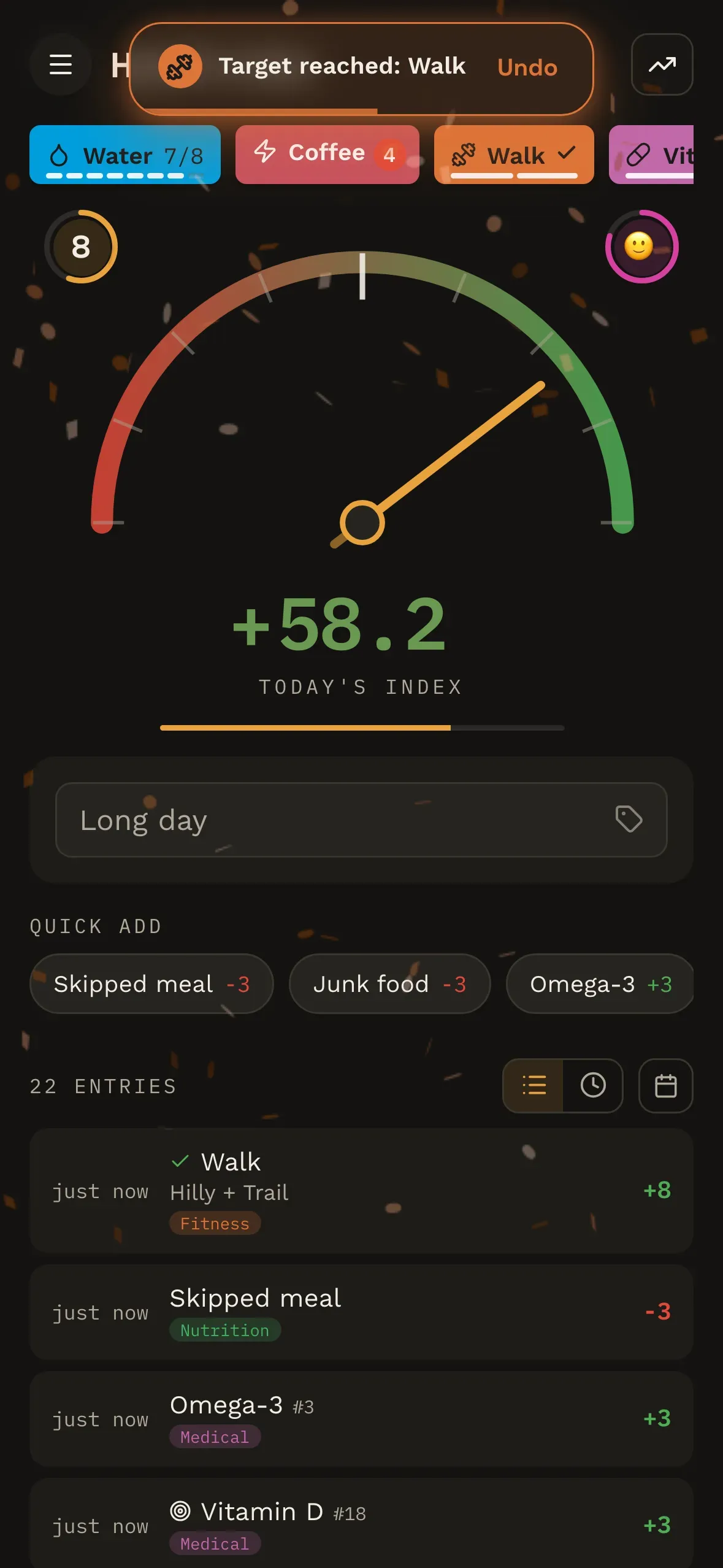
A variation can have its own variations, four levels deep if you want them — and it's still one log, under one name, worth one number.
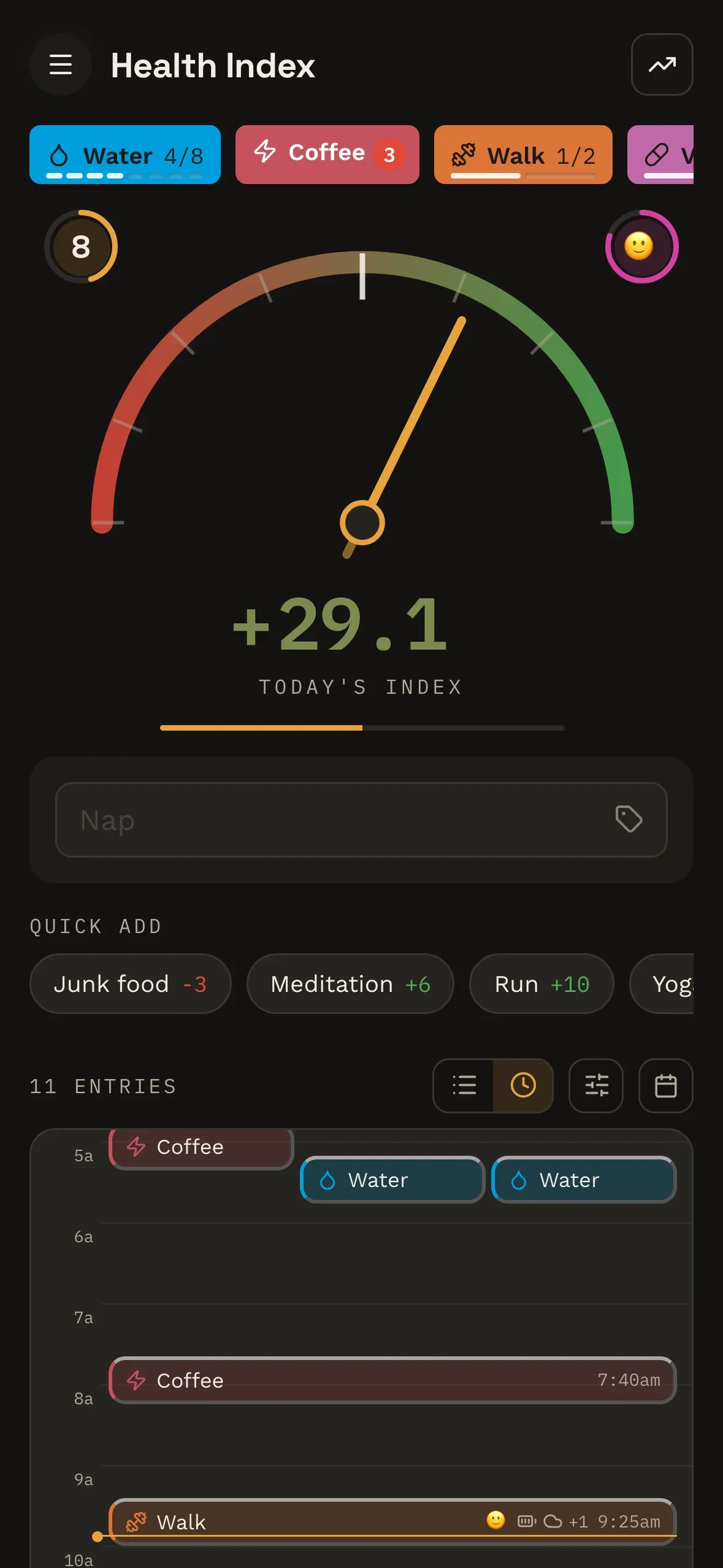
The day on a clock
The same day, laid out against the hours instead of as a list, so the gap between a 7am start and a 3pm slump is a distance you can see. Drag anything to a different time. The list stays the default.
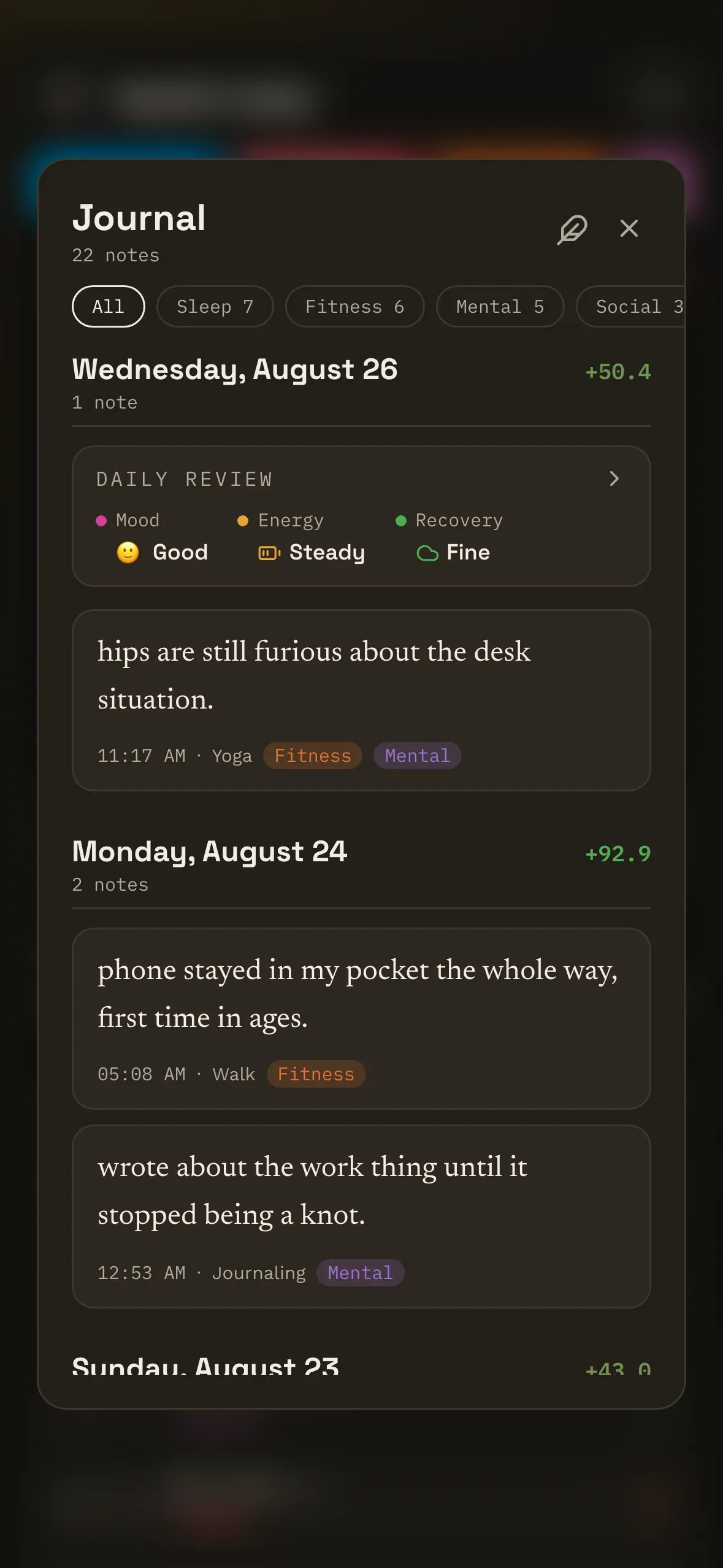
Everything you wrote
Notes go on logs, and mostly never get read again. Here they all are, day by day, with room to write about the day itself.
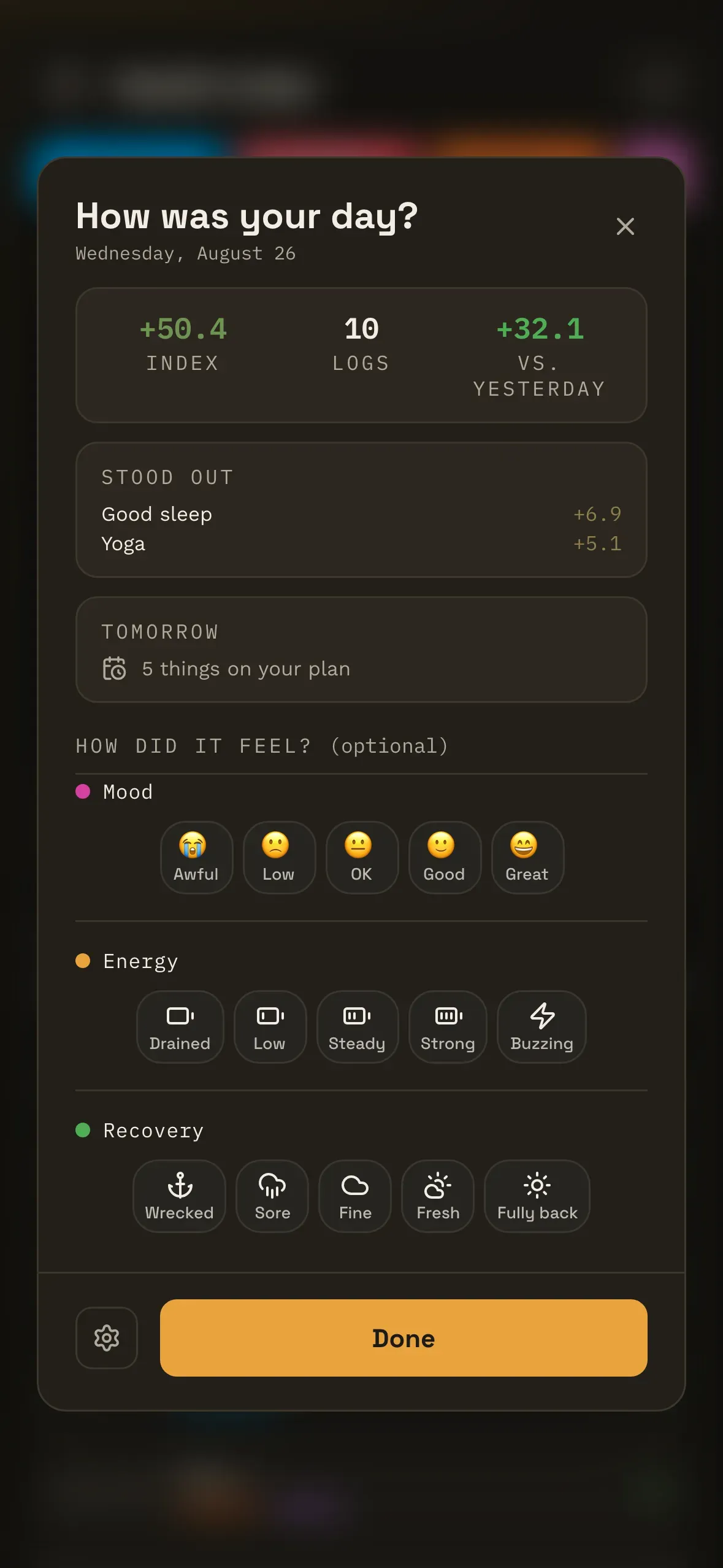
Closing the day out
At an hour you choose, the day sums itself up — what you logged, how it moved, what stood out. Answer the scales or don't; closing it without writing anything is a complete answer. It waits inside the app, and you can switch it off.
Progress
Badges, without the guilt trip
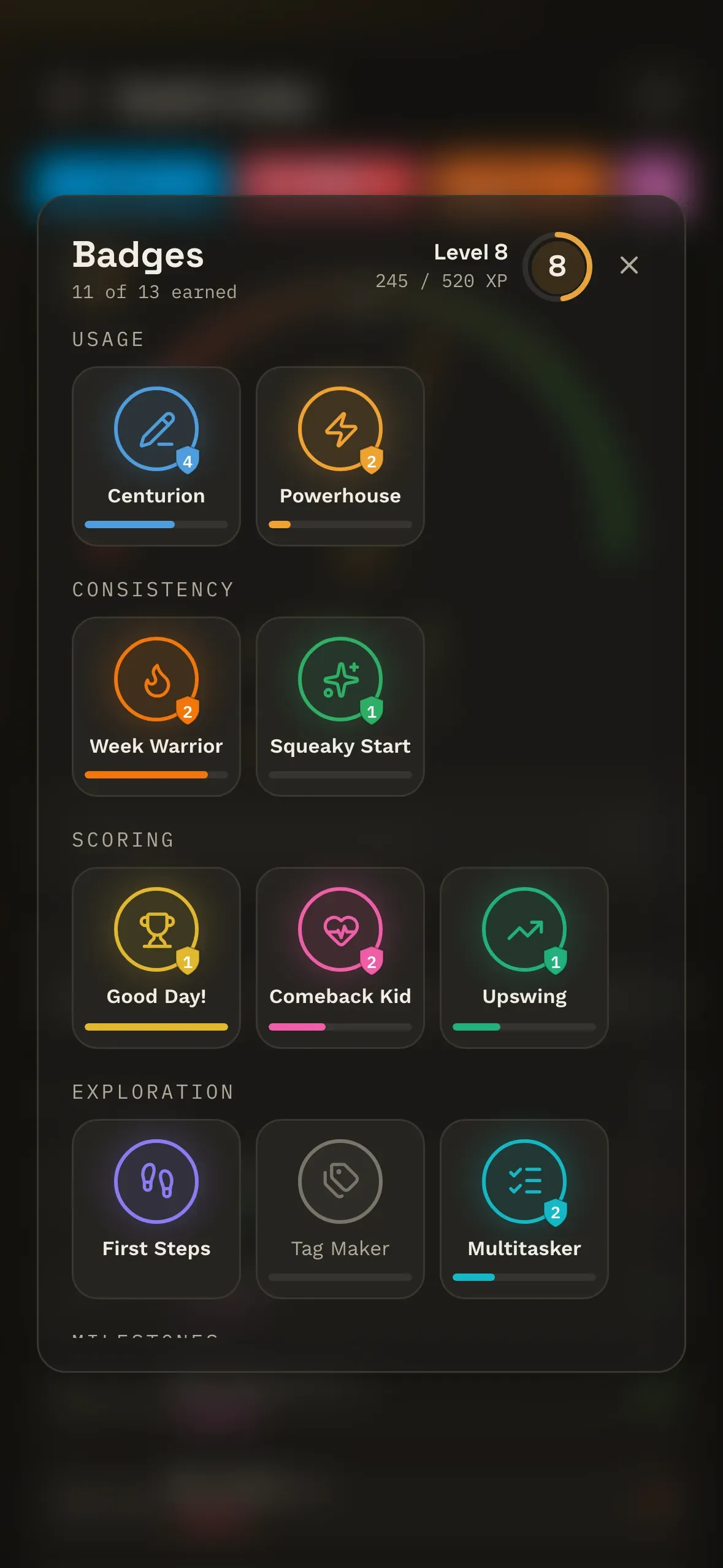
There are badges, tiers and levels, and hitting one is genuinely satisfying. They're also not the product. Nothing breaks if you take a week off, and nothing can reach you when the app is closed — there are no notifications of any kind.
There are streak badges, too. They track your best run, so missing a day never takes one away — and your index doesn't care about the calendar at all. Repeating something counts for less because it's a repeat, not because you skipped Tuesday.
Your level is worked out from what you've actually done rather than banked as a running total, which means thresholds can be retuned later without wiping anyone's history. A small architectural detail, and the reason a rebalance can never take something off you. And a tier you've earned is held by the data model rather than by our good intentions — it survives even a wipe of the numbers it was derived from. Nothing here can quietly take something back off you.
Privacy
Your entries stay on your device
That's not a promise about our intentions — it's the shape of the thing. No account is required, and there's no user database behind it. What you log is written to your device and read back from your device.
- Anonymous usage stats can be switched off. What leaves is bucketed counts, and nothing else. Your labels, tags and notes are never assembled into that payload in the first place, so there's nothing in it to leak.
- No ads, no trackers, nothing sold on. This site runs one cookieless analytics script and nothing else, which is why nothing has popped up asking you to accept anything.
- Not medical advice. It's a tracking tool, not a diagnostic one. It reflects what you told it, and nothing more.
Self-tracking that survives contact with a real life.
The beta
Request an invite
It's a small beta and invites go out in batches, so there's genuinely no timeline to quote. Tell us what you're hoping to keep an eye on and we'll be in touch.